
 Official BytePlus partnerBytePlus, a ByteDance company
Kiryū video review
AI video feedback: find out why your video flopped
Upload a TikTok, Reel or Short and Kiryu watches it frame by frame. You get timestamped notes on the hook, pacing, captions and audio, the three fixes that would help most, and a rewritten opening.
- Made for TikTok, Reels and Shorts
- Frame by frame, with the audio
- Timestamped notes
- Top 3 fixes and a new hook
- Claims checked against the video
- Official BytePlus partner
- 1 free review a day
Last updated
On this page
A second pair of eyes before you post
Most short videos are lost in the first three seconds, and it's hard to see why when you've watched your own edit fifty times. AI video feedback gives you an outside view: what a viewer actually sees and hears, where the pace sags, which caption is too small or sits under the like button, and whether the point lands.
Kiryu doesn't guess from a description. It watches the video, listens to it and writes a timeline of every shot, caption and line of dialogue, then reviews the video against that timeline with a timestamp on every note. Before you see the review, a second pass checks each factual claim against the timeline and removes anything it can't back up.
How to get feedback on your video
- 1
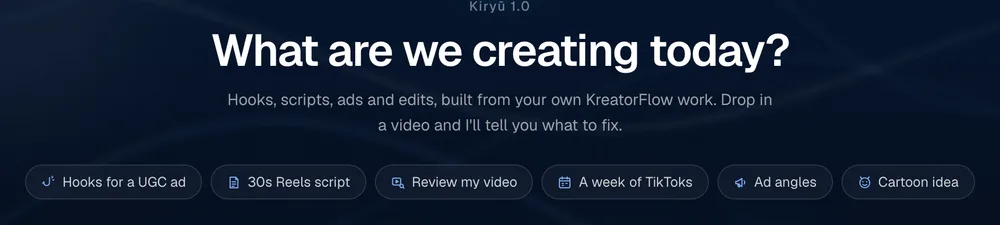
Open Kiryu and choose Review my video
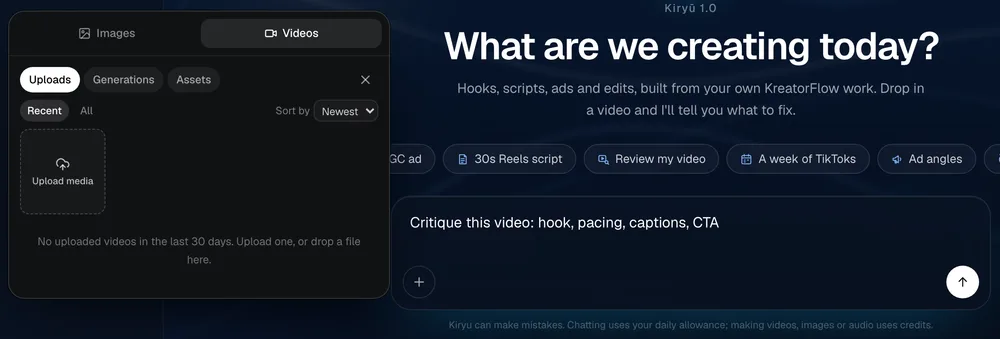
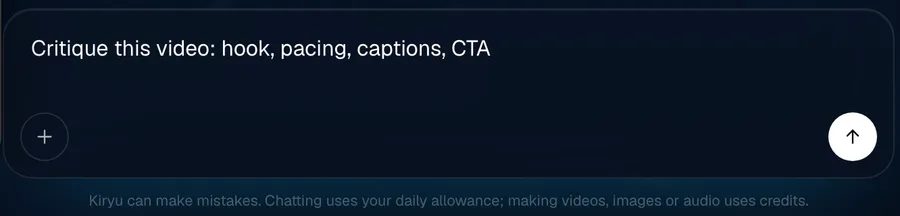
Open Kiryu and tap Review my video. It writes the request for you: a critique of the hook, pacing, captions and call to action.
Screenshot of kreatorflow.ai, 2026-10-25 - 2
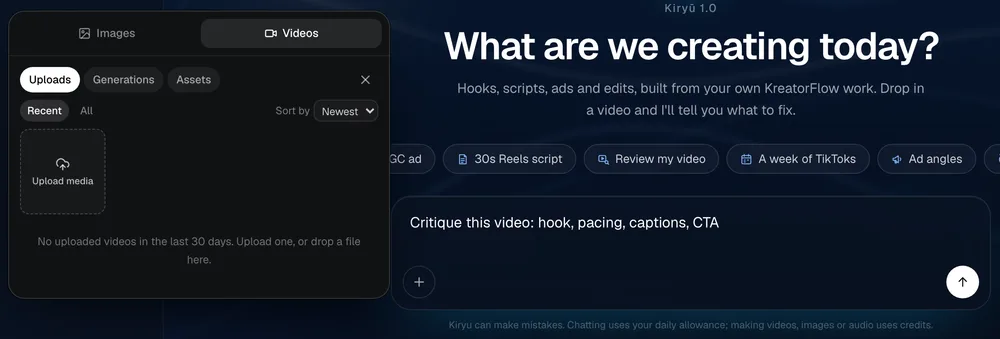
Upload the video
Upload the file from your device, or pick one from your KreatorFlow uploads, generations or assets. It does not need to be made with KreatorFlow.
Screenshot of kreatorflow.ai, 2026-10-25 - 3
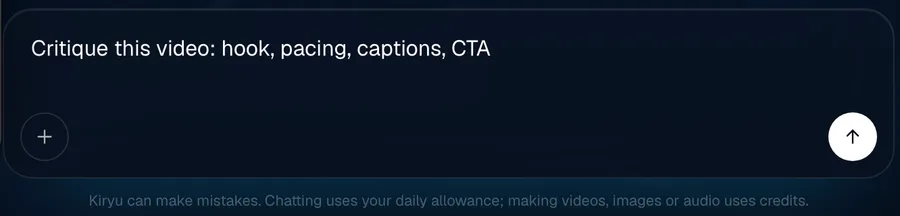
Say where it's going and send
Add the platform (TikTok, Reels, Shorts or an ad) and what the video is meant to do. Kiryu looks at it frame by frame, closest in the first seconds, and listens to the audio, so it knows what's on screen, what's said and when every cut lands.
Screenshot of kreatorflow.ai, 2026-10-25 - 4
Get notes and the fixes
You get timestamped notes, the three changes that would help most, and a rewritten opening. Ask Kiryu to make the new version and it sets it up in the same chat.
What Kiryu checks
The hook
The first three seconds: what a viewer sees, reads and hears, and whether they would stop scrolling.
Retention and pacing
Shot lengths, dead spots and the moments attention is likely to drop, segment by segment.
Clarity of the idea
Whether it is obvious what the video is and why someone should keep watching.
Captions and on-screen text
The wording, quoted back to you, plus timing, placement, legibility and safe zones.
Audio
Voice against music, music fit, sound design and silences.
Visual quality
Framing, lighting and visible artefacts.
Call to action
Whether there is one, when it lands and whether it is clear.
Platform fit
Aspect ratio, safe zones and length for TikTok, Reels or Shorts.
What you get back
- Notes on each of the eight checks, with timestamps like 00:02.5
- The top three fixes, in order of impact
- A rewritten opening: on-screen text, first line and first shot
- The timeline of what Kiryu saw, to check any note yourself
- An offer to make the new version with the studio tools
Want to fix it straight away? Kiryu can recut, crop, re-caption or regenerate a shot in the same chat. That workflow is what we call vibe editing.
Made for organic TikTok, Reels and Shorts
Kiryu is built for the videos people find in their feed, not on a billboard. Everything it writes and makes starts from how short-form is actually watched: a thumb ready to scroll, sound often off, and about three seconds to earn the rest.
- Hooks written for the first three seconds, with the on-screen text and first shot
- Formats that work on short-form right now: skits, before and after, storytime, UGC, series
- Vertical 9:16, captions that sit clear of the app's buttons, and the right length per platform
- Posting plans for a week or a month, with a reason for every post
- Reviews that check where people stop watching and whether your call to action lands
Free to start, more on a plan
Free account
$0
- 15 messages a day
- 1 video review a day
- Hooks, scripts, ad angles and content plans
- Image, voiceover, sound and quick edits from the chat, on your own credits
Any paid plan
From $19
- A daily Kiryu allowance included, larger on higher plans
- Keeps going on your credits after the allowance
- More video reviews and every studio tool from the chat
- Pro mode on every plan, Max mode on Pro, Max, Business
Making something from the chat costs the same credits as making it in the studio, and Kiryu shows the price before it runs. Daily limits reset at midnight UTC. The free tier needs a verified email.
Questions other video feedback tools skip
What people ask before they upload: limits per plan, links, scores, what counts as a review, comparing two cuts and privacy.
How long and how big can the video be?
Up to 50 MB per file, and up to 30 seconds of video per message on the free plan, 1 minute on Creator, 3 minutes on Pro and 5 minutes on Max and Business. The length is measured from the file itself, and a longer clip gets a message asking you to trim it rather than a partial review. MP4 and MOV work best.
Can I paste a TikTok or Instagram link instead of uploading?
The frame-by-frame review works on a video file: upload it, or pick it from your KreatorFlow library. Use the file you exported before posting, which also means you can check a draft before anyone sees it.
Does it give a viral score or predict my views?
No. Kiryu does not invent view counts, retention percentages or a score out of 100, because nobody can know them from the file alone. It says in words where viewers are likely to drop and why, with a timestamp, and ranks the three fixes by how much they should help.
Do follow-up questions use up another review?
No. A review counts when Kiryu watches a video it has not watched before: a new clip, or a fresh look when you ask for one. Questions about the same review count as messages: a verified free account gets 1 review and 15 messages a day, and both come back at midnight UTC.
Can I compare two versions of the same video?
Yes. Attach up to 2 videos in one message and ask which opening works better. Their combined length counts toward your plan's limit per message, so two cuts of 15 seconds each fit on the free plan.
Is my video private, and is it used to train AI?
Private. The video is saved in your own library and the review stays in your chats; nothing is posted anywhere. We do not use your uploads to train AI models without your explicit opt-in.
Source: Privacy Policy
AI video feedback questions
What does AI video feedback check?
Eight things: the hook, retention and pacing, clarity of the idea, captions and on-screen text, audio, visual quality, call to action, platform fit. Every note points to the moment in the video it's about.
Does it really watch the video, or just read the title?
It watches it. Kiryu samples the video frame by frame (more densely in the opening seconds, where most viewers decide), transcribes what's said and by whom, and builds a timeline of what it saw. You can open that timeline in the chat to check its notes against the video.
Can AI feedback make up things that aren't in my video?
That's the risk with AI reviews, so Kiryu runs a second check: every factual claim in the review is compared with the timeline of what it saw, and anything the timeline doesn't support is corrected or removed before you see it. If something isn't covered, such as a video with no audio, it says so instead of guessing.
Is AI video feedback free?
A verified free account gets 1 video review a day, together with 15 messages. Paid plans include more reviews in their daily Kiryu allowance.
Which platforms is the feedback for?
Short-form vertical video first: TikTok, Instagram Reels and YouTube Shorts, plus ads. Tell Kiryu the platform and it checks the ratio, length and the safe zones where the app's buttons cover your captions.
Can I ask follow-up questions about the review?
Yes, the review is part of a chat. Ask why a note matters, for three more hook ideas, or for a version with a different opening, and Kiryu can make that version with the studio tools.
Does it work on videos I didn't make on KreatorFlow?
Yes. Upload any video file you have the rights to. It doesn't need to be made with KreatorFlow.
Find out what to fix before you post
Free accounts get 1 video review a day. Paid plans get more.
Keep exploring
- AI video agent
- Vibe editing
- AI creative director
- AI ad generator
- Higgsfield Supercomputer alternative
- Free TikTok hook generator
- Free TikTok script generator
- AI TikTok video analyzer
- Instagram Reels feedback
- YouTube Shorts analyzer
- Video hook analyzer
- AI ad creative review
- Why did my TikTok flop?
- Seedance 2.0 video generator
- Free video editor
- AI lip sync
- Plans and pricing