

Try this in the studio
Step by step
- 1
Prepare the product photo
A sharp photo on a clean background, with the whole product in frame. The clearer the reference, the more faithful the product looks in the video.
- 2
Image to video with references
In the video studio, add the photo as a reference. Seedance 2.0 takes up to 9 image, 3 video and 3 audio references, so you can add the logo, the packaging or a mood clip too.
- 3
Use the Product Reveal template
A smooth camera move and studio lighting in one clip of 6 seconds for 38 credits. Describe the surface, the setting and the mood.
- 4
Test a UGC-style hook with UGC Hook
A vertical, handheld opener with the product always in frame, in a 8-second clip. Good for testing several hooks for the same product.
- 5
Pick the format
Change the aspect ratio in the studio: 9:16 for Reels, TikTok and Shorts, 1:1 for the feed, 16:9 for YouTube and the web.
- 6
Check the cost and generate
The studio shows the credits before you generate: 15 credits for 5 seconds at 720p and 30 at 1080p with Seedance 2.0. If a generation fails, the credits come back automatically.
Example prompts
Add the product photo as a reference and adapt the surface, the light and the move.
Premium reveal
The product on wet stone, revealed by a slow push-in, soft rim light, clean reflections, commercial finish.
Top-down
Top-down shot of the product on pale linen, surrounded by its ingredients, the camera slowly rotates, natural morning light.
Social hook
A person holds the product up to the camera in a sunlit bathroom and shows it up close, handheld, vertical format.
Orbit
The product stands alone on a matte black turntable, the camera orbits slowly around it, one hard key light from the side, deep shadows, glossy highlights travel across the surface.
In use
Close-up of hands opening the product and using it at a marble kitchen counter, shallow depth of field, warm late-afternoon light through a window, calm and slow.
Splash
The product drops into clear water in slow motion, bubbles and droplets catch a bright backlight, pure white background, crisp detail, high-end commercial look.
Seedance price per second on KreatorFlow
Seedance 2.0 and 2.5 at 720p and above: price per second on each plan (monthly and annual), credits per 5-second clip, and clips per plan.
| Model · resolution | Credits | Per second | USD per second (monthly) | USD per second (annual) | Creator · 525 credits/mo | Pro · 1,050 credits/mo | Max · 2,500 credits/mo | Business (2 seats) · 4,500 credits/mo |
|---|---|---|---|---|---|---|---|---|
| Seedance 2.0 · 720p | 15/5s | 3/s | $0.119–0.145/s | $0.099–0.121/s | 35 | 70 | 166 | 300 |
| Seedance 2.0 · 1080p | 30/5s | 6/s | $0.238–0.289/s | $0.198–0.241/s | 17 | 35 | 83 | 150 |
| Seedance 2.0 · 4K | 70/5s | 14/s | $0.554–0.675/s | $0.462–0.563/s | Pro and up | 15 | 35 | 64 |
| Seedance 2.5 · 720p | 24/5s | 4.8/s | $0.190–0.231/s | $0.158–0.193/s | 21 | 43 | 104 | 187 |
| Seedance 2.5 · 1080p | 50/5s | 10/s | $0.396–0.482/s | $0.330–0.402/s | 10 | 21 | 50 | 90 |
| Seedance 2.5 · 4K | 120/5s | 24/s | $0.950–1.157/s | $0.792–0.964/s | Pro and up | 8 | 20 | 37 |
Seedance 2.0 and 2.5, 720p and above. Plan columns: 5-second clips a month on the plan's full monthly credits. Longer clips cost the same per second, so a 10-second clip uses twice the credits. Generated audio is included. USD per second: each plan's price over its full monthly credits, lowest to highest plan; monthly is the regular monthly price, annual is the yearly price divided by 12.
Tips to make the product look good
Describe the material (glass, matte metal, fabric) and how the light falls. Ask for one camera move per shot and keep the product in the centre.
Test at 720p and render the final shot at 1080p. Powered by ByteDance's Seedance 2.0 and Seedream models via BytePlus, a ByteDance company.
Get the reference photo right
The reference photo is the single biggest factor in how faithful the product looks. The model can only keep what it can see, so give it a clear view of the shape, the colours and the label.
If the product has a back, a lid or a detail that matters, add a second photo from that angle. Use the other references for things that support the product, such as the logo, the packaging or a mood clip, and say in the prompt what each reference is for.
- Sharp, well lit and in focus, with the whole product in frame.
- A plain background so the model does not mix the product with clutter.
- No heavy filters, reflections or hands covering the label.
- The real colours of the product, not an edited or tinted version.
Light, surface and camera: the words that work
Product ads are mostly about light. Name the light source and where it comes from, the surface the product sits on, and one camera move. The model follows plain film language better than adjectives like "amazing" or "premium".
Match the look to the category: soft diffused light and pale stone for skincare, hard side light and dark backgrounds for tech and watches, warm window light and wood for food and drink, bright and colourful for toys and snacks.
- Light: soft box from above, rim light, backlight, hard side light, golden hour through a window, neon glow.
- Surface: wet stone, brushed concrete, marble, pale linen, black acrylic with reflections, sand, moss.
- Camera: slow push-in, orbit, top-down rotation, slow tilt up, rack focus from background to product, static locked-off shot.
- Motion in the scene: steam, falling petals, water droplets, drifting smoke, a slow turntable.
Plan a campaign, not a single clip
One clip runs 4 to 15 seconds, so a longer ad is a few shots joined in the free video editor. A simple structure works for most products: an attention shot, the product in its best light, the product in use, a detail shot, and an end frame with the name and offer.
Make the hero cut first, then reuse the same shots for every placement: 9:16 for Reels, TikTok and Shorts, 1:1 for feed posts, 16:9 for YouTube and your website. Generate each format separately rather than cropping, so the product stays centred in every frame.
Hero shot, full prompt
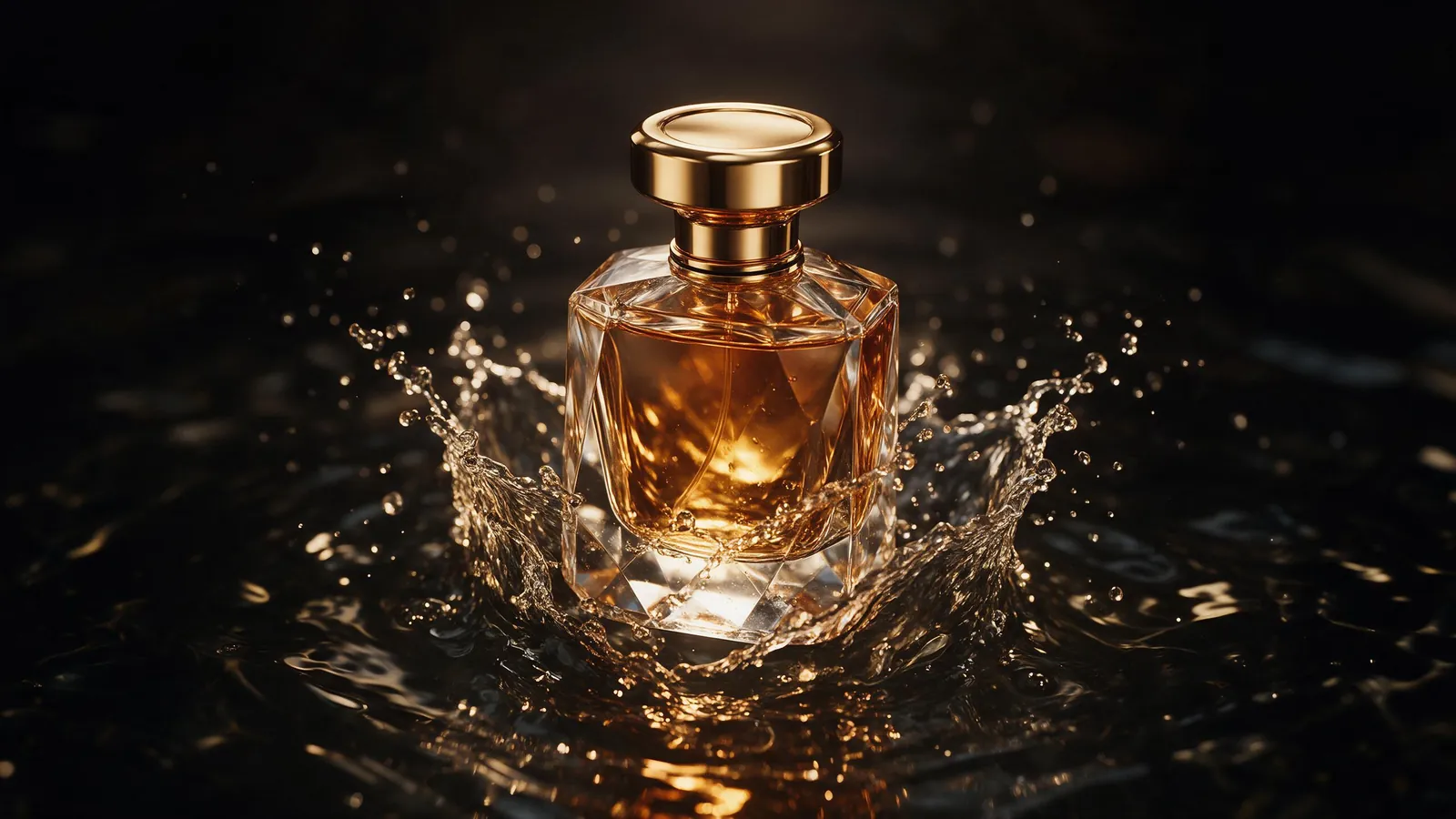
The perfume bottle from the reference image stands on a slab of wet black stone, a thin layer of water reflects it. The camera starts low and slowly pushes in. A soft rim light outlines the glass from behind, a faint warm glow from the left, fine mist drifts past. The label stays sharp and readable. Dark, luxurious, commercial finish.
- Shot 1, attention: a splash, a reveal or an unexpected angle in the first second.
- Shot 2, hero: the product alone, slow push-in or orbit, your best lighting.
- Shot 3, in use: hands or a person using the product in a real setting.
- Shot 4, detail: texture, label or the one feature that sells it, in close-up.
- Shot 5, end frame: the product still and centred, with space for your logo and offer added in the editor.
Common mistakes
These are the usual reasons a product clip looks off, and how to fix them.
- A blurry or cluttered reference photo. Reshoot it on a plain background before you spend credits.
- Several camera moves in one shot. Pick one move; the product drifts or warps when the camera does too much.
- Asking for text in the scene. Add the logo, price and offer in the editor afterwards, where they stay exact.
- Forgetting scale. Say how big the product is ("a small lipstick", "a large backpack") so hands and props match it.
- Rendering every test at 1080p. Explore at 720p, then render only the shots you keep.
Keep product ads honest
Show the product as it really is. Do not change its colour, size, contents or results in ways a buyer would feel misled by, and check small details such as label text, because each render is a new take.
Label AI-generated content where TikTok, Meta or YouTube ask for it, and only show real people's faces or voices with their permission.
Checklist before you publish
Check every shot against this list.
- The product's shape, colour and label match the real thing.
- No warped edges, extra parts or melted text on the packaging.
- The product is centred and not cut off in the format you are posting.
- Logo, price and offer are added in the editor, not generated in the scene.
- Each placement has its own aspect ratio rather than a crop.
- The ad is labelled as AI where the platform asks.
Work out the cost of your campaign
A 5-second shot costs 15 credits at 720p and 30 at 1080p with Seedance 2.0, so a five-shot ad in one format costs about five times that. The cost calculator tells you how many credits a batch of clips for your campaign needs and which plan covers it.
Templates for this guide
Each template has its own page with a preview, the credit cost and a link to the studio.
- Product RevealA short cinematic reveal with a smooth camera move and premium lighting for ads and storefronts.
- UGC HookA vertical, social-first UGC opener with handheld movement and the product clearly in frame.
- Top Down God ViewA perfectly overhead, 90-degree view that turns your scene into a clean, symmetrical composition.
Frequently asked questions
Will my exact product appear in the video?
With a sharp reference photo, the video follows your product's shape, colour and details. Each render is a new take, so check small details such as label text.
Which format should I use for Reels, TikTok and YouTube?
9:16 for Reels, TikTok and Shorts, and 16:9 for YouTube. You can change the aspect ratio in the studio before you generate.
How much does a product ad cost?
A 5-second Seedance 2.0 clip costs 15 credits at 720p and 30 at 1080p. The studio shows the cost before every generation.
Can AI make a product video from one photo?
Yes. Add the photo as a reference in the video studio and describe the scene and camera move. You can add up to 9 image references in one generation, for example the back of the pack or the logo.
Can the video show my logo and price?
Generated text can come out slightly wrong, so add your logo, price and offer in the editor after you generate. The product's own label usually holds up with a sharp reference photo; check it in every shot.
What prompts work best for product videos?
Name the surface, the light and one camera move, in plain film language: "on wet stone, soft rim light, slow push-in". Keep one action per shot and the product in the centre.
How long should a product ad be?
Short. Each clip runs 4 to 15 seconds; join a few shots in the editor for a longer ad and put the strongest shot first.