

Try this in the studio
Made with this guide
A new clip generated from this guide's prompt, unedited.
Prompt
Zoom from space into Portugal, down to Lisbon, over the red rooftops of Alfama, ending on a yellow tram turning a corner.
Step by step
- 1
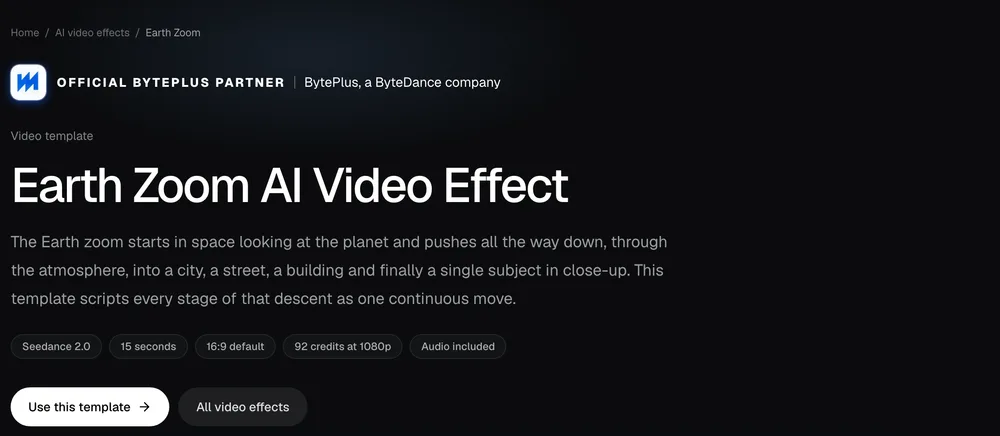
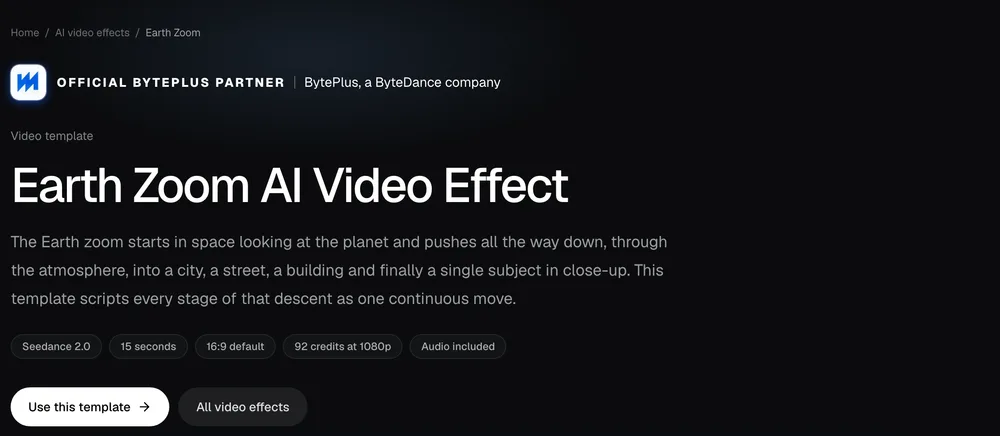
Open the Earth Zoom template
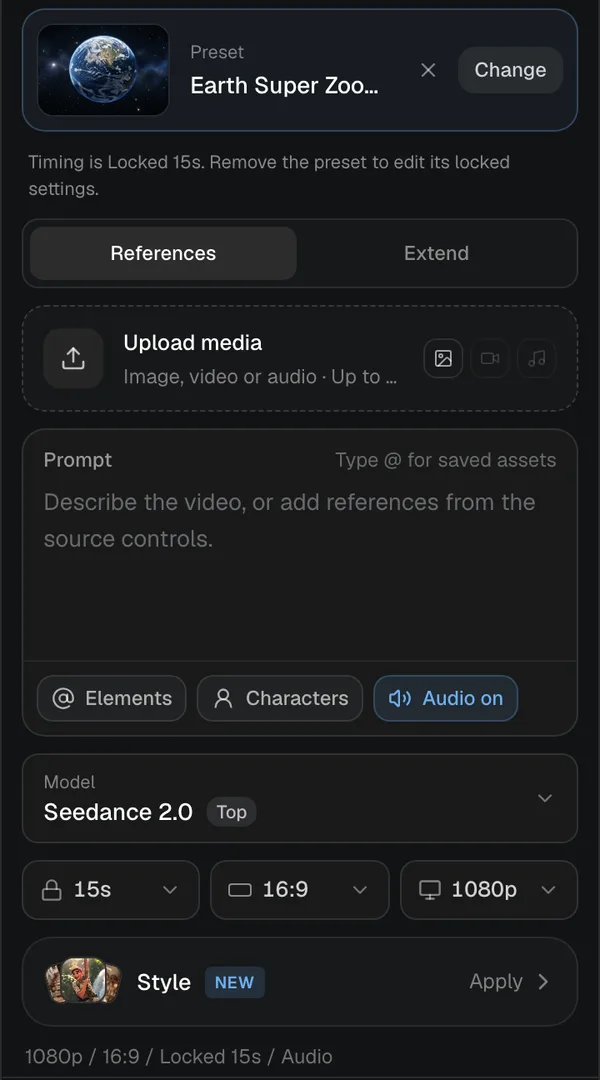
It opens the video studio with the model, duration and camera recipe already set. You only write what the camera flies over and lands on.
Screenshot of kreatorflow.ai, 2026-10-25 - 2
Keep the template's recipe
The studio explains that the template locks its model, source mode, audio setting and timing so the descent renders as designed. Press Keep template; you can still change the quality and aspect ratio and add your own references.
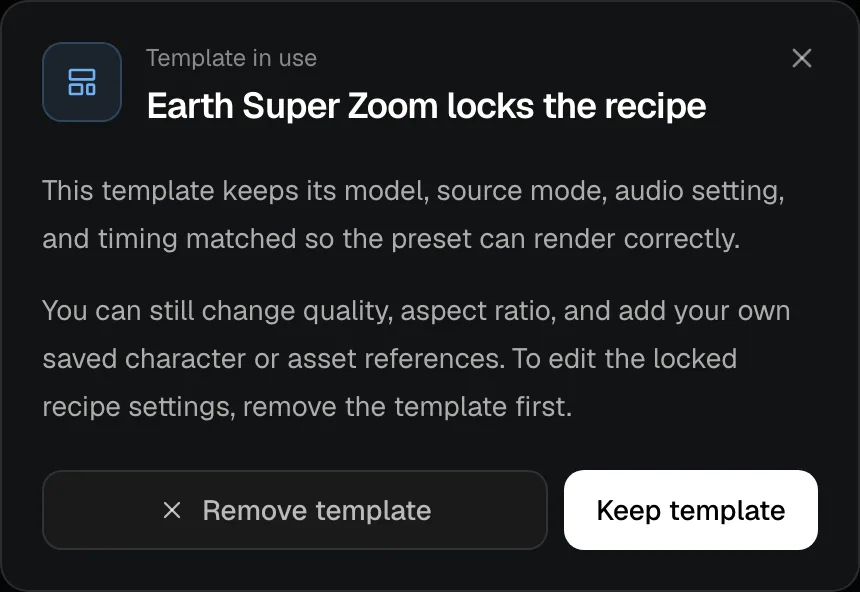
Screenshot of kreatorflow.ai, 2026-10-25 - 3
Name the route
Say where the descent goes: the country or region, the city, the neighbourhood. Real, recognisable places read best because the model knows what they look like from above.
- 4
Choose a strong final subject
The ending is what people remember. Pick one specific subject in close-up: a chef plating noodles, a surfer paddling out, your shop's front door. Add a photo or a saved character if the final subject must be a specific person.
- 5
Generate and check the cost
The default 15-second 1080p render costs 92 credits (47 at 720p), including the template fee, and the studio shows the cost before you generate. If a generation fails, the credits are returned automatically.
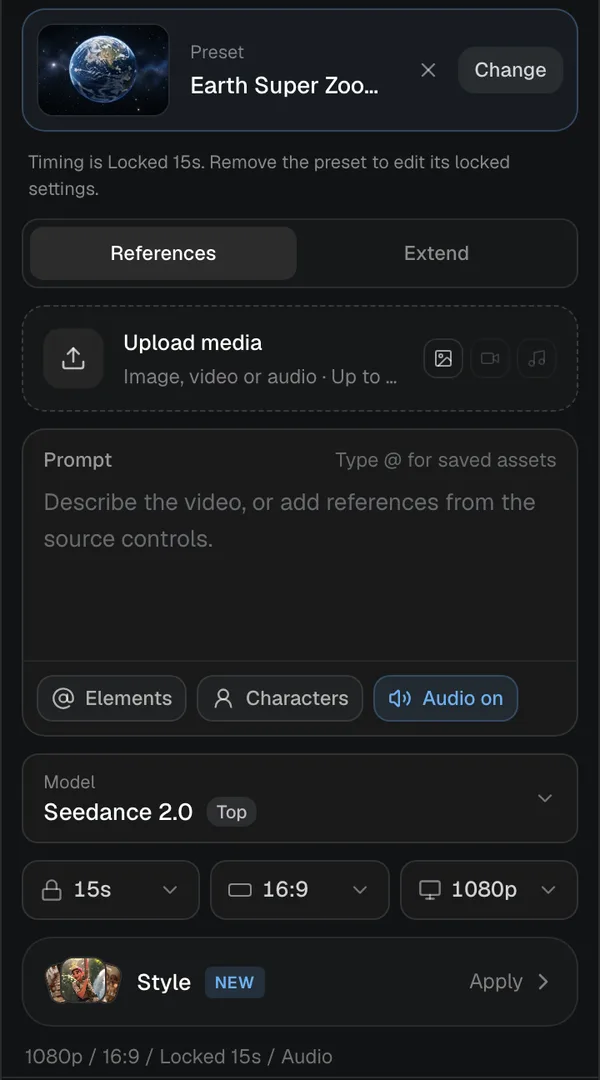
Screenshot of kreatorflow.ai, 2026-10-25
Earth zoom prompt ideas
Travel
Zoom from space into Portugal, down to Lisbon, over the red rooftops of Alfama, ending on a yellow tram turning a corner.
Local business
Zoom from space into the UK, down to Manchester, into a busy street, ending on the neon sign of a small coffee shop.
Story opener
Zoom from space into Iceland, down to a black-sand beach, ending on a lone photographer setting up a tripod at sunrise.
Restaurant
Zoom from space into Italy, down to Naples, into a narrow street hung with washing lines, ending on a pizzaiolo sliding a pizza into a wood-fired oven.
Event
Zoom from space into Spain, down to Barcelona at night, over the lit-up beachfront, ending on a crowd with their hands up in front of an outdoor stage.
Real estate
Zoom from space into Australia, down to Sydney, over the harbour, into a quiet leafy suburb, ending on the front of a white weatherboard house with a red door.
Fitness
Zoom from space into California, down to Los Angeles, along the coast to Venice Beach, ending on a woman finishing a pull-up at an outdoor gym.
Template example
Zoom from space into Tokyo, down to a small ramen shop, ending on a chef plating noodles.
Seedance price per second on KreatorFlow
Seedance 2.0 and 2.5 at 720p and above: price per second on each plan (monthly and annual), credits per 5-second clip, and clips per plan.
| Model · resolution | Credits | Per second | USD per second (monthly) | USD per second (annual) | Creator · 525 credits/mo | Pro · 1,050 credits/mo | Max · 2,500 credits/mo | Business (2 seats) · 4,500 credits/mo |
|---|---|---|---|---|---|---|---|---|
| Seedance 2.0 · 720p | 15/5s | 3/s | $0.119–0.145/s | $0.099–0.121/s | 35 | 70 | 166 | 300 |
| Seedance 2.0 · 1080p | 30/5s | 6/s | $0.238–0.289/s | $0.198–0.241/s | 17 | 35 | 83 | 150 |
| Seedance 2.0 · 4K | 70/5s | 14/s | $0.554–0.675/s | $0.462–0.563/s | Pro and up | 15 | 35 | 64 |
| Seedance 2.5 · 720p | 24/5s | 4.8/s | $0.190–0.231/s | $0.158–0.193/s | 21 | 43 | 104 | 187 |
| Seedance 2.5 · 1080p | 50/5s | 10/s | $0.396–0.482/s | $0.330–0.402/s | 10 | 21 | 50 | 90 |
| Seedance 2.5 · 4K | 120/5s | 24/s | $0.950–1.157/s | $0.792–0.964/s | Pro and up | 8 | 20 | 37 |
Seedance 2.0 and 2.5, 720p and above. Plan columns: 5-second clips a month on the plan's full monthly credits. Longer clips cost the same per second, so a 10-second clip uses twice the credits. Generated audio is included. USD per second: each plan's price over its full monthly credits, lowest to highest plan; monthly is the regular monthly price, annual is the yearly price divided by 12.
Why the Earth zoom works
It answers "where are we?" in a few seconds and ends on a clear subject, which makes it a strong hook for the first moments of a short video. Travel creators land on a destination, brands land on a shop or a product, and storytellers land on a character.
Doing it by hand means stitching satellite imagery, drone footage and a close-up with careful transitions. The template produces the whole descent in one render.
The four stages of a good descent
Every strong Earth zoom passes through the same stages, and your prompt should name each one. When a stage is missing, the model has to invent it, which is where descents start to look vague or jump between places.
A prompt that names every stage
Zoom from space into Japan, down to Kyoto, over the temple rooftops of the Higashiyama district, into a lantern-lit lane, ending on an old woman sweeping the step of a small tea house.
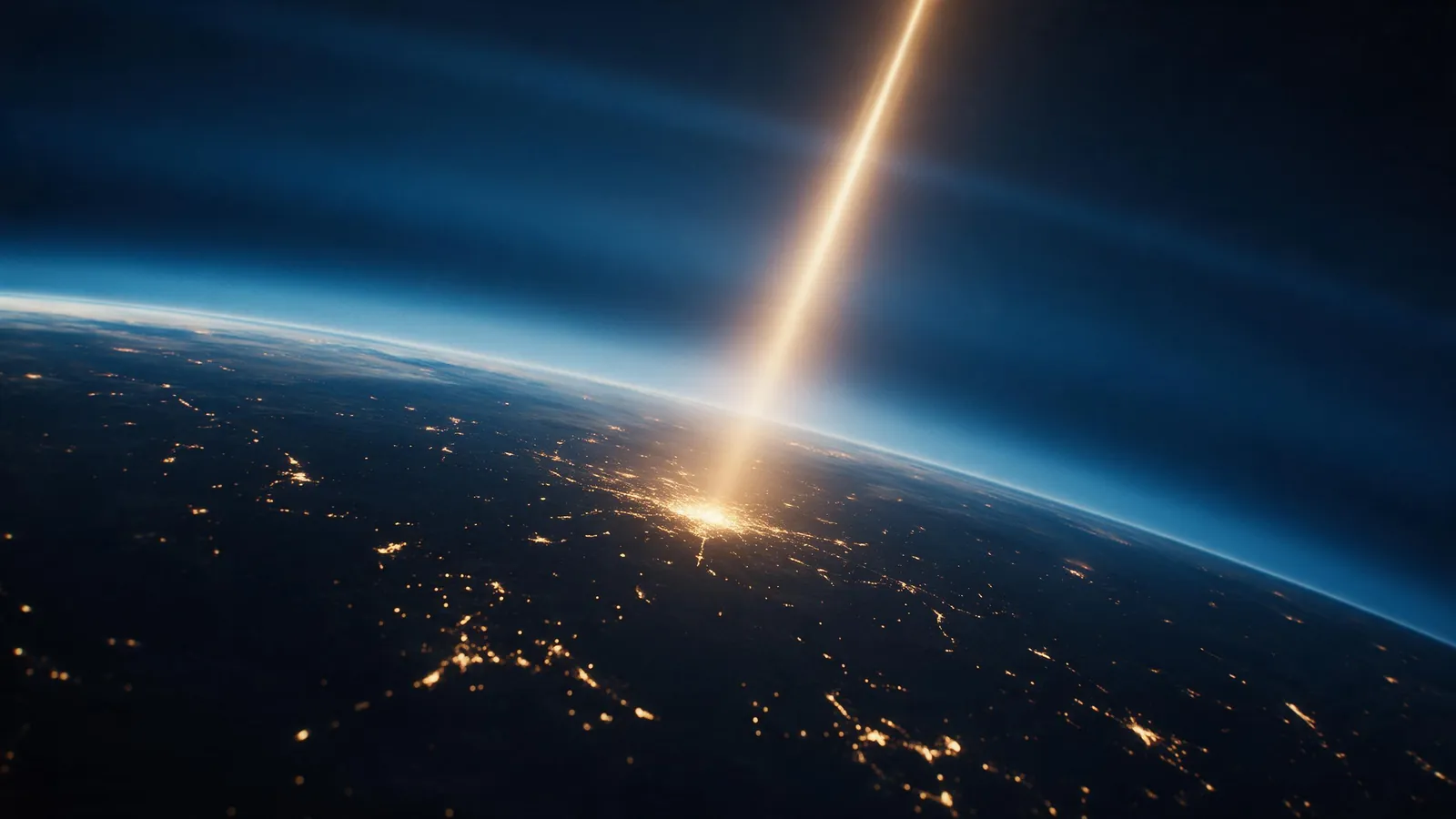
- Space: the planet, the continent or the country. Usually just the name of the country or region.
- Region and city: the city the camera dives towards. A real, well-known city gives the most believable view from above.
- Neighbourhood or landmark: the street, the harbour, the park or the district the camera drops into.
- Final subject: one person, place or object in close-up. This is the payoff, so make it specific and doing something.
Endings that work
The last two seconds decide whether people rewatch. The best endings have a person or an object doing one small, clear action that rewards the trip down.
- A person mid-action: a chef plating, a surfer paddling out, a barista pouring.
- A sign or a door: your shop front, a hotel entrance, a market stall.
- A product in its setting: a bottle on a café table, a bike outside a house.
- A moment: friends raising glasses, a couple on a bench, a dog catching a ball.
Tips for a cleaner descent
Keep each stage believable: a city should sit where it really is, and the final location should fit it. A ramen shop in Tokyo reads better than a ski chalet in Tokyo.
Use 9:16 for Reels, Shorts and TikTok, and keep the final subject centred so it survives cropping.
The Earth zoom is generated, not built from real satellite or street imagery. The model draws a plausible version of the places you name, so famous cities and landmarks come out most recognisable. If you need your exact building, end on it with a reference photo rather than relying on the view from above.
Ways to use it
Travel and tourism: open a destination video, then cut to the experiences there. Local businesses: show customers where you are before showing what you do. Real estate: land on a property after showing the area around it. Events: open a recap by flying into the venue. Stories and short films: introduce a character in their world.
On social platforms the descent works as the first shot of a longer edit. Add a short caption naming the place and cut to your next clip right as the camera lands.
Finishing and posting the video
Download the clip and open it in the free video editor to add a caption, music or a second clip after the landing. A short text line such as the city name works well over the space shot, where the frame is calm.
If the video looks realistic, label it as AI-generated where the platform asks you to. TikTok, YouTube and Instagram all have a setting for this in the upload flow.
Common mistakes
- Too many stops: three or four places in one descent is plenty. A list of six places blurs together.
- A vague ending: "ending on a person" gives a generic close-up. Say who, and what they are doing.
- Places that don't fit together: a beach bar in the middle of a desert city confuses the descent.
- Small details in the final shot: tiny text and fine print rarely survive. Add text in the editor instead.
If the result is not right
If the camera jumps or the city looks wrong, simplify the route to one country, one city and one final subject, and use a better-known city. If the ending is the problem, rewrite only the final subject with a clearer action and generate again. Change one thing at a time so you know what helped.
The default 15-second 1080p render costs 92 credits (47 at 720p), including the template fee, and the studio shows the cost before you generate. Drafting the route in words first costs nothing, so get the prompt right before you generate.
Questions other Earth zoom guides skip
What people ask before they pay for a render: plans, length, zooming out, render time and sound.
Which plan do I need for the Earth zoom template?
The template renders on Seedance 2.0, which free video does not include: free accounts can make video on Seedance 2 Fast and Seedance 2.0 Mini at 720p. On Creator it makes 720p video for 47 credits; the default 1080p render (92 credits) needs Pro or above. The Generate button shows the exact credits before anything is charged.
Can I make the Earth zoom longer or shorter?
Not while the template is applied: it locks the model, source mode, audio setting and timing at 15 seconds so every stage of the descent has room. You can still change the quality and the aspect ratio and add a photo or saved character. For a shorter cut, trim the finished clip in the free video editor.
Can it zoom out from my subject into space instead?
The template only flies in. For a pull-back, remove the template in the studio and write your own prompt that names the stages in reverse: start on the subject in close-up, rise over the street and the city, and end on the planet. Without the template you choose the length yourself, up to 15 seconds on Seedance 2.0.
How long does an Earth zoom take to render?
A few minutes. From the studio's render-time estimates, fitted on finished Seedance 2.0 jobs, a 15-second clip takes about 5 minutes at 720p and about 7 minutes at 1080p. You can leave the page; the clip lands in your history when it is done.
Does the Earth zoom come with sound?
Yes. The template generates audio with the clip, and the audio setting is part of the locked recipe, included in the credit price. Add music or a voiceover afterwards in the free video editor.
Templates for this guide
Each template has its own page with a preview, the credit cost and a link to the studio.
- Earth Super ZoomOne continuous zoom from space, through the clouds and a city, down to a single subject in close-up.
- Crane Down Sky RevealThe camera descends from high above, through a layer of cloud or canopy, to reveal your subject at ground level.
- Through The Window DroneA drone glide that flies through a window or doorway and continues into the space inside.
- FPV DroneAn aggressive FPV dive down the side of a building, banking through a gap and pulling up into a low glide.
Frequently asked questions
Is the Earth zoom free to make?
New accounts get 25 starter credits for images and video. Free video covers Seedance 2 Fast and Seedance 2.0 Mini at 720p only, queued and rate limited. Other video models and 1080p and above need a plan.
Can I end the zoom on my own product or face?
Yes. Add a reference photo, or a saved character for a person, and describe it as the final subject. Only use photos you have the rights and consent to use.
How long is the Earth zoom video?
The template renders a 15-second clip so each stage of the descent has time to read. The duration is part of the template recipe, so it stays fixed while the template is applied.
Can I zoom into my own house or address?
The descent is generated, not made from real satellite imagery, so the model draws a believable version of the area rather than your exact street. For a specific building, end on it with a reference photo of the front.
Which aspect ratio should I use?
9:16 for TikTok, Reels and Shorts, 16:9 for YouTube and websites. Keep the final subject in the centre so it still works if the video is cropped.
Why does the city not look like the real place?
Lesser-known places give the model less to go on. Use a well-known city or landmark for the middle stage, keep the route short, and make the final subject the part that has to be exact.
Can I add music or a caption?
Yes. Download the clip and add music and text in the free video editor. Put text over the space shot, where the frame is calm.